Top 10 Apps to Make Clothing Designs Before Custom Manufacturing
Stop Losing Time and Money on Bad Samples, Design It Right From the Start
Ever received a final clothing sample that looked nothing like what you imagined? You explained the fabric, the fit, even the vibe, but somehow, the results didn’t match. It’s not just disappointing. It’s expensive. Miscommunication at the design stage is one of the top reasons brands lose money during manufacturing.
The fact is, if you’re still sending rough sketches, unclear mockups, or relying on your manufacturer to “figure it out,” you’re gambling with your brand’s quality. Studies show that over 65% of design-related issues in custom clothing production stem from poor design communication. That means your vision can fail before a single stitch is sewn.
But there’s a fix, and it starts with using the right apps to make clothing designs. These tools let you build precise, production-ready visuals, patterns, and prototypes without needing a fashion degree or design agency. With the right app, you can control your garment’s look, fit, and feel, long before you invest in sampling or bulk production. The result? Fewer revisions, faster launches, and a product that matches your vision.
Why Use Apps to Make Clothing Designs?
Fashion moves fast, and every minute you spend fixing mistakes costs you. If you want your clothing designs to come out exactly how you picture them, having a clear digital plan is a must. It helps you avoid confusion and keeps your project on track from day one.
Whether you’re launching a streetwear brand, creating uniforms, or designing performance apparel, using apps to make clothing designs helps you:
- Visualize your concepts in 2D or 3D
- Communicate precise details to manufacturers.
- Save on physical sample costs.
- Experiment with colors, cuts, and styles risk-free
- Accelerate approvals and production timeline.s
Most importantly, these tools empower you to take full creative control, without relying on anyone else to interpret your vision.
Now, let’s dive into the top 10 apps to make clothing designs that every brand should consider before sending anything into production.
1. CLO 3D
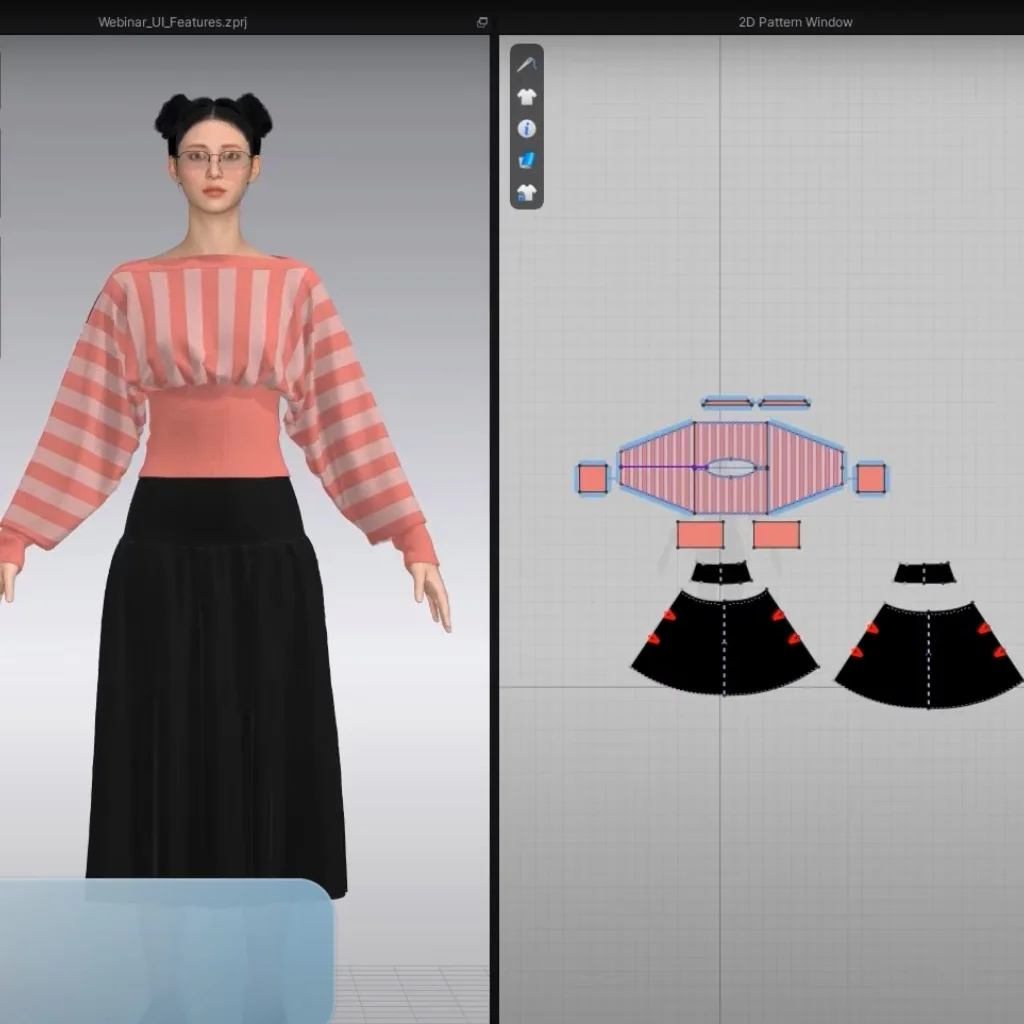
Best For: Realistic 3D fashion mockups and garment simulation
Fashion firms and up-and-coming brands alike commonly use CLO 3D to produce intricate, realistic 3D clothing. It enables you to apply textiles, create designs, and model how clothing will hang on a computer. Because of this, it is ideal for custom manufacturing, where precision and aesthetic appeal are crucial.
- Create realistic digital samples.
- Reduce prototyping costs and lead times..
- Export tech packs directly to manufacturers
This is one of the most powerful apps to make clothing designs that significantly cuts down revisions.
2. Adobe Illustrator
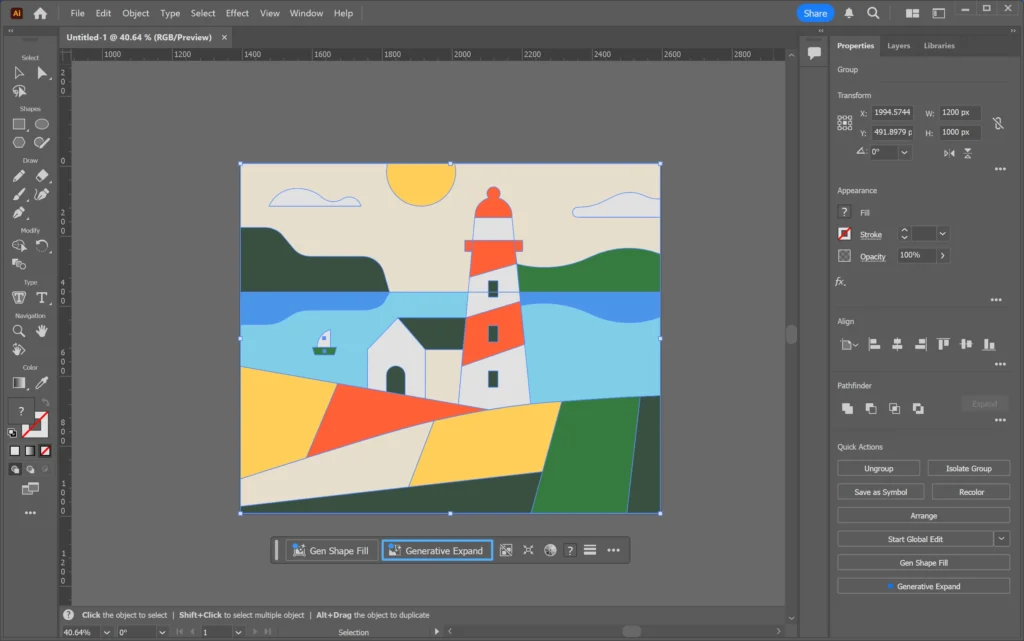
Best For: Flat sketches, vector drawings, and tech packs
Though not made exclusively for fashion, Adobe Illustrator is still the industry standard when it comes to technical garment drawings. It allows complete control over every stitch, seam, and measurement.
- Perfect for detailed line drawings and specifications
- Works seamlessly with fashion-specific plugins
- Trusted by apparel brands worldwide
If you work with factories that rely on tech packs, Illustrator is your best friend.
3. TUKAcad
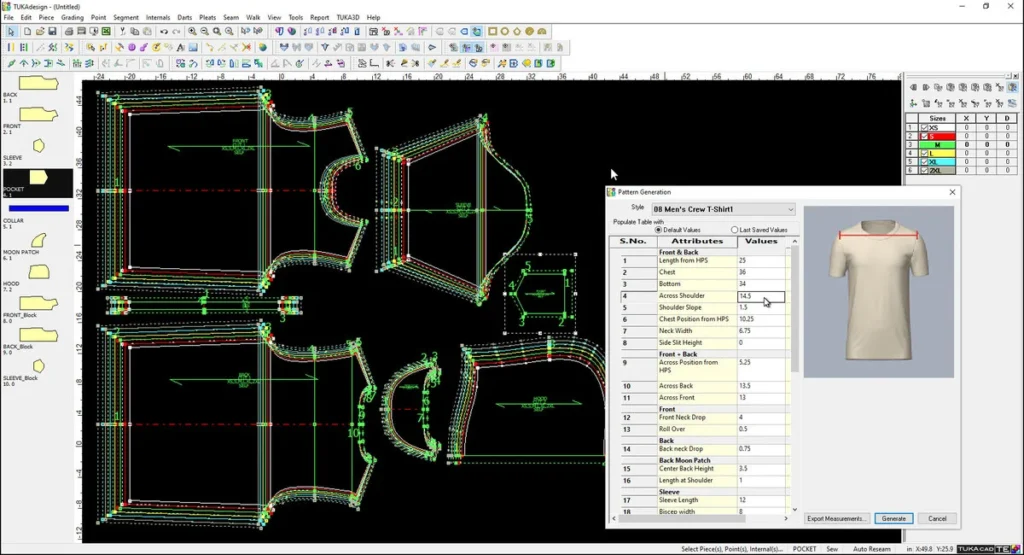
Best For: Pattern-making and grading
Built specifically for fashion designers, TUKAcad enables digital pattern creation, grading, and marker making. It’s ideal if you’re producing bulk orders and want to ensure consistency across sizes.
- Drag-and-drop interface
- Generates production-ready patterns
- Reduces fabric waste through efficient layout
As one of the more technical apps for making clothing designs, TUKAcad bridges creativity and manufacturing precision.
4. Tailornova
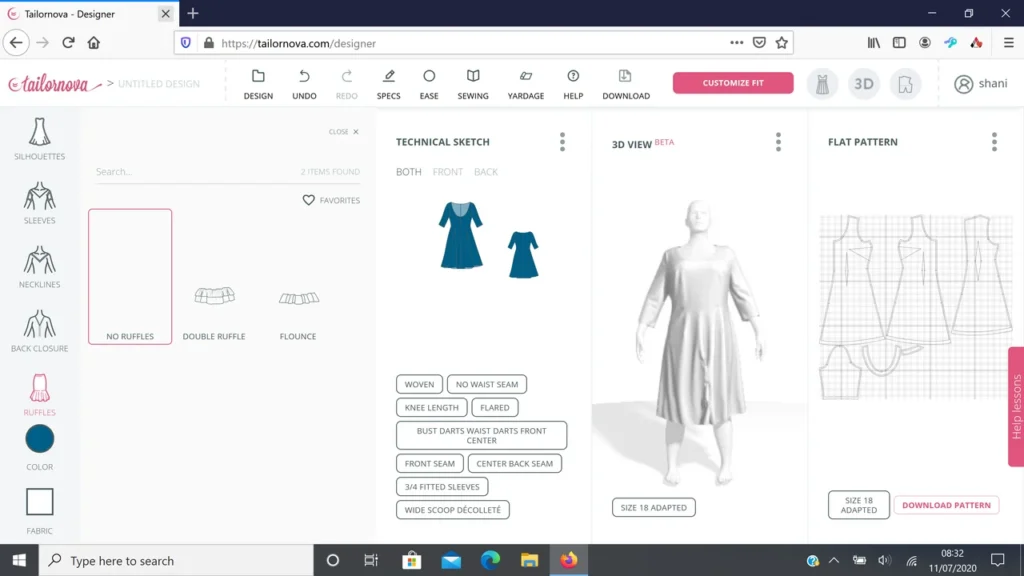
Best For: Beginners and quick prototyping
Tailornova is a browser-based tool that simplifies fashion design for non-designers. You can create custom-fit garments using drag-and-drop features and get real-time 3D previews.
- Requires no design background
- Auto-generates sewing patterns
- Exportable to tech packs
For those new to the clothing industry, Tailornova is an accessible and effective starting point.
5. Marvelous Designer

Best For: High-end fashion visualization
Similar to CLO 3D, Marvelous Designer specializes in 3D garment visualization but leans more toward fashion artistry. If you want to play with flowy fabrics, ruffles, or couture-style garments, this app delivers stunning results.
- Advanced draping simulation
- Easy import/export with other 3D tools
- Loved by indie designers and costume creators
It’s one of the most visually stunning apps for making clothing designs, especially for editorial or runway looks.
6. Browzwear
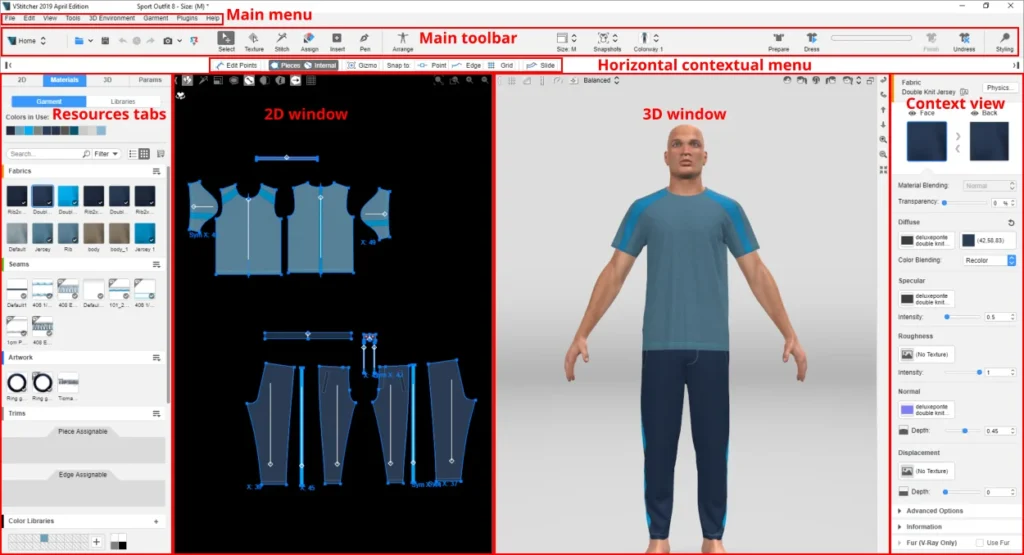
Best For: Technical garment development
Browzwear’s suite (including VStitcher and Lotta) is geared toward brands that want seamless transitions from design to production. It offers realistic simulations, digital fitting, and compatibility with production tech.
- Streamlines concept-to-production flow
- Offers 3D prototyping and avatar fitting
- Supports virtual sampling
This one’s a must-have if you’re running a lean startup and need to minimize waste and error.
7. Sketchbook by Autodesk
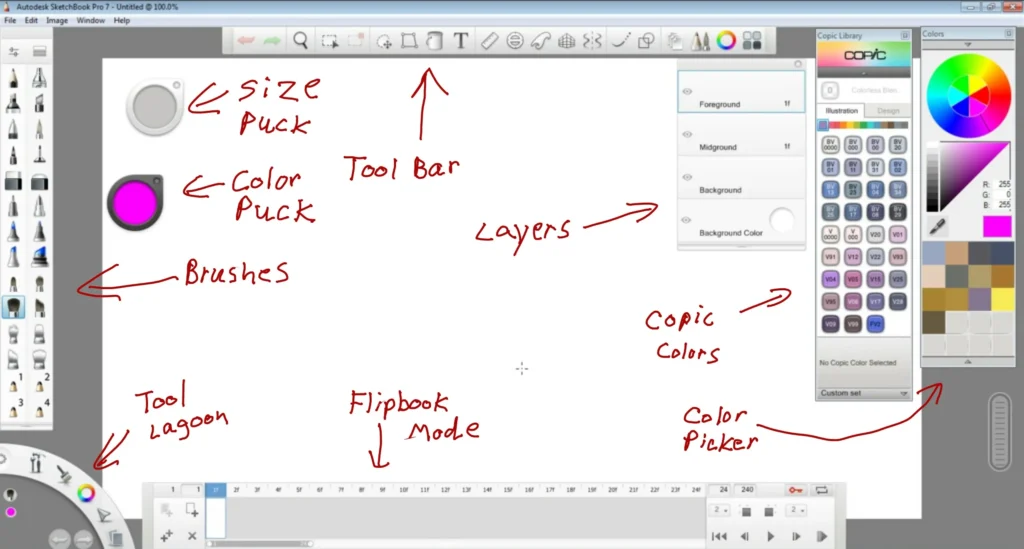
Best For: Concept sketching
If you’re someone who likes to begin with hand-drawn sketches, Sketchbook is an intuitive digital drawing app that’s perfect for fashion ideation. Think of it as your digital notebook.
- Works well with styluses and tablets
- Infinite canvas for fashion mood boards
- Easy to export to tech design platforms
It’s often overlooked but very useful among apps to make clothing designs during the early creative phase.
8. CorelDRAW
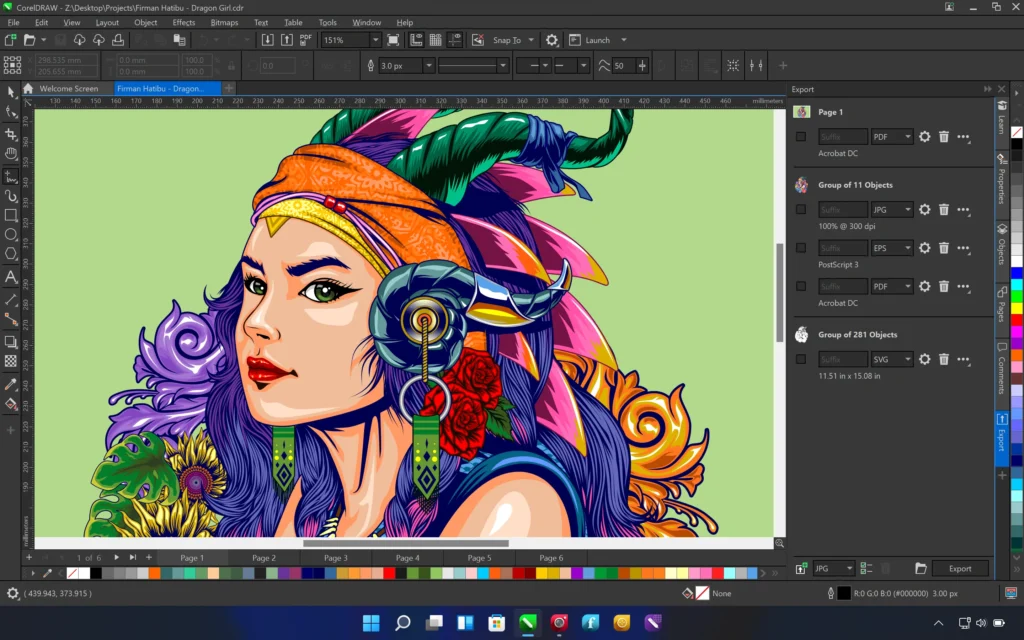
Best For: Fashion illustration and print design
CorelDRAW is another vector-based tool that’s often used for textile print design and fashion graphics. While Illustrator dominates the scene, Corel has its loyal following, especially in print-heavy fashion segments.
- Excellent for creating garment graphics
- Useful for sublimation and screen printing designs
- Good compatibility with printers and plotters
Perfect for those adding heavy visual design elements to garments.
9. Procreate

Best For: Fashion illustrations and digital rendering
Used mainly on iPads, Procreate is a design favorite for drawing beautiful fashion illustrations. If you like working on mood boards, seasonal styles, or concept art, it’s a creative powerhouse.
- Highly responsive brush tools
- Easy layering and exporting
- Great for on-the-go sketching
While not built exclusively for fashion, it adds flair to your clothing design process.
10. Designhill T-Shirt Maker
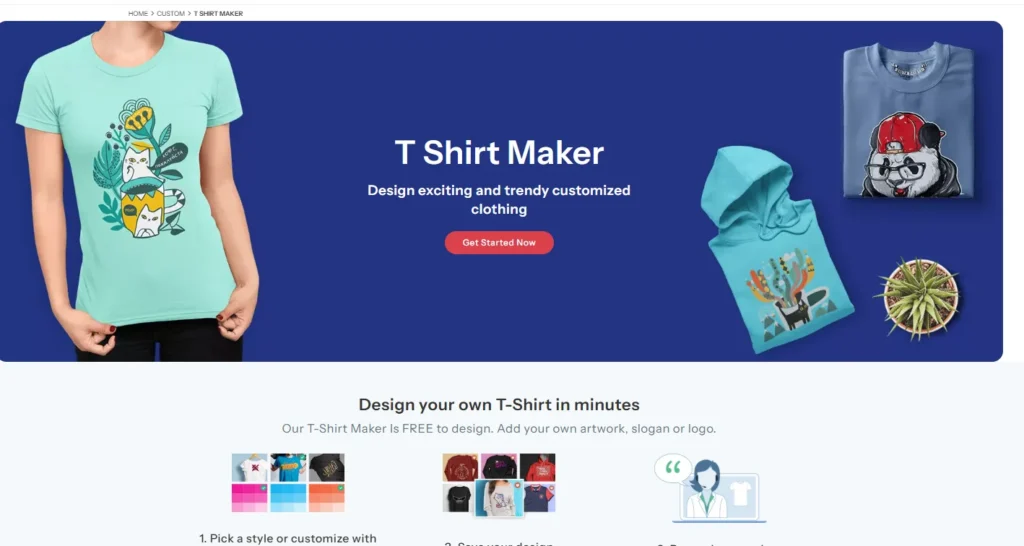
Best For: T-shirt brands and mockup generation
If you’re launching a streetwear or merch line, Designhill’s online T-shirt maker is a time-saving tool. Upload your logo or graphic, apply it to templates, and preview your design instantly.
- Beginner-friendly
- Mockups for print-on-demand platforms
- Speedy prototyping
This is one of the most practical apps to make clothing designs for those working in the fast-moving merch and casual wear space.
How to Choose the Right App?
When deciding which app to use, ask yourself:
- Do I need 2D or 3D designs?
- Will I be creating tech packs for manufacturers?
- Do I need to simulate fabrics and drapes?
- Am I designing for print or structure?
- How skilled am I at digital tools?
If you’re sending your designs to a manufacturer like Rijiz, the more detailed and clear your digital files are, the smoother your production journey will be.
Why Does It Matter Before Manufacturing?
Every inch matters in garment production. From sleeve length to stitch count, small inaccuracies can cost thousands in bulk manufacturing. That’s why investing time in using reliable apps to make clothing designs saves money, reduces sampling time, and ensures you launch on schedule.
At Rijiz, we often receive tech packs and designs from all kinds of tools. The clearer and more detailed your files are, the fewer questions we need to ask, and the faster we move to sampling and production. We bring our manufacturing expertise to life when your design files speak our language.
Final Thoughts
Fashion isn’t just about creativity, it’s about communication. When you use the right apps to make clothing designs, you’re not just sketching a look, you’re giving your manufacturer a roadmap. And when you get that right, you save time, money, and mental energy.
Whether you’re a streetwear startup or a large-scale fashion brand, don’t leave your designs open to interpretation. Invest a few hours upfront with these design tools, and see the difference it makes in sampling, production, and final product quality.
FAQs
No, many tools like Tailornova and Designhill are beginner-friendly. You can create professional-looking designs with no background in fashion.
Yes, tools like Sketchbook and Designhill T-shirt Maker offer free versions that are perfect for startups and small brands.
PDF, AI, DXF, or even PNGs, depending on your tool and the manufacturer’s preferences. Always ask your supplier first.
3D apps like CLO3D and Browzwear help visualize fabric flow and fit, while 2D tools like Illustrator are great for tech packs. Use both if possible.
Yes, especially tools like TUKAcad and Tailornova offer pattern grading and sizing features for production-ready designs.